Skip to content
Windows 11 Field Guide
Menu

Topics

Windows 11 troubleshooting

Fixes for Windows 11 problems, from stuck updates and blue screens to Wi-Fi, sound, Bluetooth and Start menu issues, starting with the safest steps.
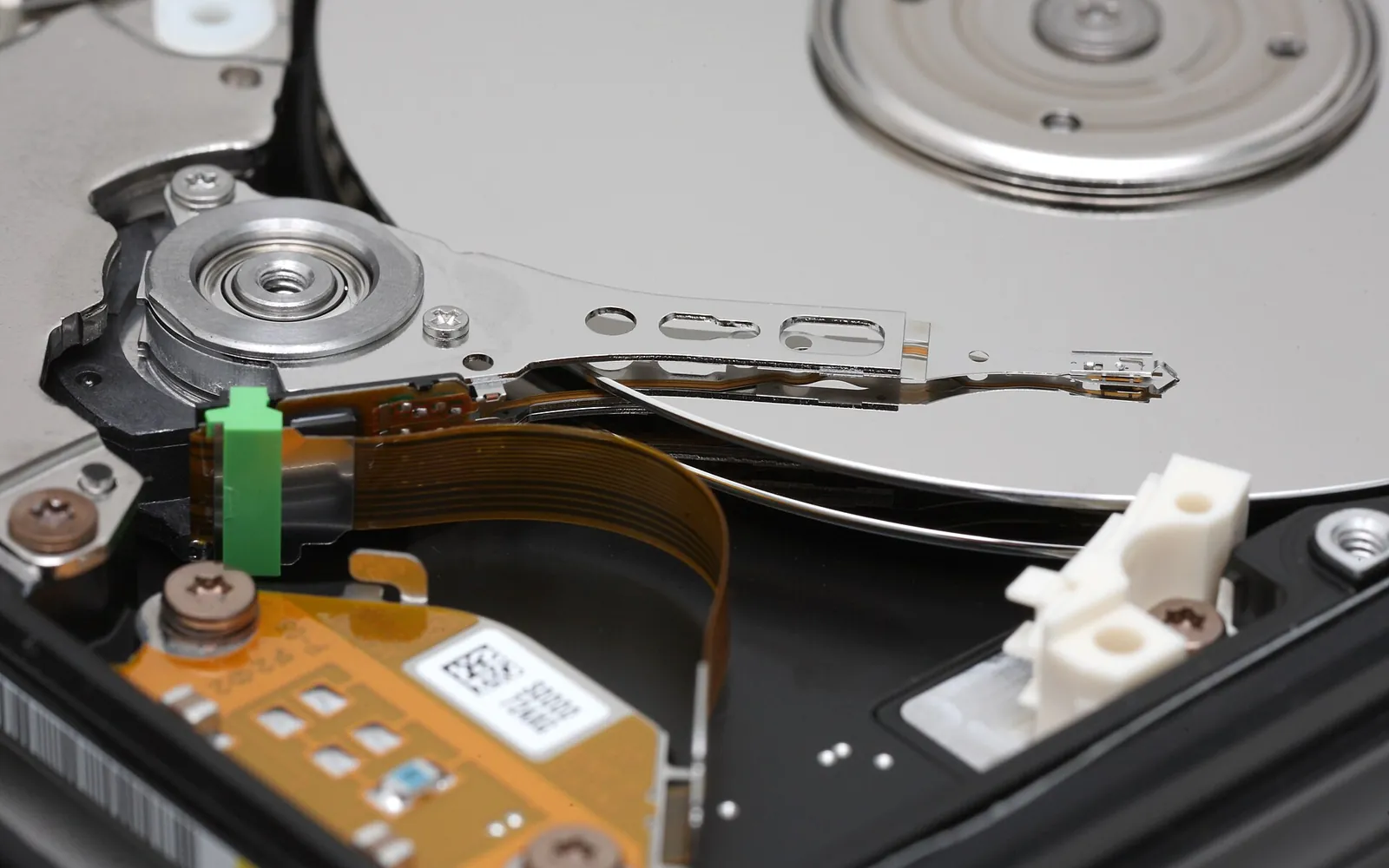

The inside of an opened hard disk drive showing the platters and read/write head arm
Troubleshooting Defragment a Hard Drive in Windows 11: Optimize Drives How to defragment a hard drive in Windows 11 with Optimize Drives: analyze, optimize, change the weekly schedule, and why SSDs get trimmed instead of defragged. October 17, 2026
A frustrated person holding their head in front of a laptop
Troubleshooting Windows 11 Troubleshooting: A Step-by-Step Repair Ladder Windows 11 troubleshooting in the right order: restart, updates, troubleshooters, SFC and DISM, safe mode, clean boot, System Restore, then Reset this PC. October 17, 2026
Hands resting on a backlit keyboard in a dark room
Troubleshooting How to Run CHKDSK in Windows 11 and Read the Results Run CHKDSK in Windows 11 to find and fix drive errors: the Error checking button, chkdsk /scan, /f and /r, checks at restart, and where to read the log. October 16, 2026
Someone holding a coffee mug next to an open laptop
Troubleshooting Task Manager in Windows 11: Open It, End Tasks, Read It How to open Task Manager in Windows 11, close a frozen app safely with End task, read the CPU, memory and disk columns, and use each page without causing harm. October 16, 2026
Old monitors, a keyboard and network cables piled on a desk
Troubleshooting Windows 11 BIOS UEFI Settings: How to Open Them Safely How to open Windows 11 BIOS UEFI settings from Windows or at startup, what is safe to change (boot order, Secure Boot, TPM) and why the UEFI option is missing. October 16, 2026
A person looking at a laptop with a frustrated expression
Troubleshooting Recover Deleted Files Windows 11: From Bin to File Recovery How to recover deleted files in Windows 11: Recycle Bin, previous versions from File History, OneDrive's recycle bin and Microsoft's Windows File Recovery app. October 15, 2026
A desk with a monitor showing a terminal, a keyboard and cables
Troubleshooting Update Drivers Windows 11: Windows Update and Device Manager How to update drivers in Windows 11 safely: optional driver updates in Windows Update, Device Manager, the PC maker's site, rollback and when to leave alone. October 15, 2026
A desk with a monitor showing a terminal, a keyboard and cables
Troubleshooting Enable Secure Boot Windows 11: Turn On and Fix Greyed Out How to check and enable Secure Boot for Windows 11: msinfo32, UEFI firmware settings from Settings, Legacy/CSM mode, greyed-out options and 2026 certificates. October 15, 2026
Old monitors and network cables on a desk
Troubleshooting Enable TPM 2.0 Windows 11: Check tpm.msc and Turn It On How to check and enable TPM 2.0 for Windows 11: tpm.msc and Windows Security, firmware names such as Intel PTT and AMD fTPM, and what to do if no TPM is found. October 15, 2026
A laptop resting on a lap while someone types
Troubleshooting Battery Report Windows 11: Check Battery Health in powercfg Create a battery report in Windows 11 with powercfg /batteryreport, find the file, read design vs full charge capacity and cycle count, and judge battery wear. October 14, 2026
A laptop, notebook and coffee cup on a wooden desk
Troubleshooting Check SSD Health Windows 11: Drive Health, Wear and Warnings How to check SSD health in Windows 11 with Drive health in Settings, PowerShell and Task Manager, what remaining life means, and what to do after a warning. October 14, 2026
A desk with a monitor showing a terminal, a keyboard and cables
Troubleshooting Reset Network Settings Windows 11: Network Reset Done Right How to reset network settings in Windows 11 with Network reset, what it removes, the netsh and ipconfig commands to try first, and what to set up again after. October 14, 2026
A frustrated person holding their head in front of a laptop
Troubleshooting Uninstall Windows 11 Update: Settings, Recovery and Go Back How to uninstall a Windows 11 update from Settings or the recovery environment, roll back a feature update within 10 days, and stop it reinstalling right away. October 14, 2026
A frustrated person holding their head in front of a laptop
Troubleshooting Windows 11 Apps Not Opening: Repair, Reset and Reinstall Windows 11 apps not opening or closing at once? Restart and update, Repair or Reset the app, reset the Store cache, repair system files, then reinstall. October 14, 2026
Troubleshooting Windows 11 Battery Drain: Find the Cause and Fix It Stop Windows 11 battery drain: find power-hungry apps in Battery usage, use Energy saver and power mode, fix sleep drain and check battery health with powercfg. October 14, 2026
A laptop resting on a lap while someone types
Troubleshooting Windows 11 Battery Not Charging: Plugged In, Not Charging Windows 11 battery not charging or stuck below 100%? Check Smart charging, the charger and USB-C port, the battery driver and battery wear before a repair. October 14, 2026
Troubleshooting Windows 11 Boot Loop: How to Stop a Restart Loop for Good Break a Windows 11 boot loop: unplug devices, reach the recovery environment, run Startup Repair, uninstall a bad update, use safe mode or System Restore. October 14, 2026
Troubleshooting Windows 11 Disk Usage 100%: Causes and Fixes That Work Windows 11 disk usage at 100%? Find the busy process in Task Manager, free up space, pause sync and scans, check drive health and drivers, then repair Windows. October 14, 2026
Old monitors, a keyboard and network cables piled on a desk
Troubleshooting Windows 11 Ethernet No Internet: Step-by-Step Cable Fixes Windows 11 Ethernet connected but no internet? Check the cable and router port, run Microsoft's network commands, reinstall the driver and fix IP settings. October 14, 2026
Troubleshooting Windows 11 High CPU Usage: Find the Cause and Fix It Fix Windows 11 high CPU usage: find the busy process in Task Manager, tame startup apps and scans, check power mode, drivers and heat, then repair Windows. October 14, 2026
A desk with a monitor showing a terminal, a keyboard and cables
Troubleshooting Windows 11 High Memory Usage: Find the Cause and Fix It Windows 11 high memory usage explained: what normal RAM use looks like, finding the app using memory in Task Manager, fixing leaks and testing your RAM. October 14, 2026
Troubleshooting Windows 11 Keyboard Not Working? Causes and Real Fixes Windows 11 keyboard not working? Check connections and Filter Keys, use the on-screen keyboard, reinstall the driver in Device Manager and test in UEFI setup. October 14, 2026
A woman sitting on a bed working on a laptop by a window
Troubleshooting Windows 11 Laptop Overheating: Causes, Checks and Safe Fixes Windows 11 laptop overheating or loud fans? Find the app causing load, change power mode, clear the vents, update drivers and BIOS, and know when to repair. October 14, 2026
Troubleshooting Windows 11 Microphone Not Working: Privacy and Driver Fixes Windows 11 microphone not working? Check mute switches, mic privacy access, the input device and volume in Sound settings, app settings and audio drivers. October 14, 2026
Troubleshooting Windows 11 No Internet? Step-by-Step Fixes for Wi-Fi and LAN Windows 11 no internet? Work through airplane mode, the network troubleshooter, forgetting Wi-Fi, DNS, ipconfig commands and, as a last resort, Network reset. October 14, 2026
Troubleshooting Windows 11 Printer Problems: Offline, Stuck Jobs and Drivers Fix Windows 11 printer problems: printer offline, jobs stuck in the queue, print spooler errors, missing printers and bad drivers, with the exact menu paths. October 14, 2026
A frustrated person holding their head in front of a laptop
Troubleshooting Windows 11 Random Shutdown: Find the Cause and Stop It Windows 11 random shutdown or restart? Use Event Viewer and Reliability Monitor to find the cause, then check heat, power, drivers, updates, RAM and disk. October 14, 2026
Troubleshooting Windows 11 Search Not Working? Fixes for Blank Results Windows 11 search not working or showing blank results? Restart SearchHost, check the Windows Search service and indexing, rebuild the index and repair Windows. October 14, 2026
Troubleshooting Windows 11 Slow After Update? Causes and Fixes That Work Windows 11 slow after update? Why it happens (indexing, background work, new drivers), what to check in Task Manager, and how to uninstall a recent update. October 14, 2026
A desk with a monitor showing a terminal, a keyboard and cables
Troubleshooting Windows 11 SSD Not Detected: Disk Management and BIOS Checks Windows 11 SSD not detected or missing in File Explorer? Initialize it, add a drive letter, bring it online, check BIOS and Device Manager, find a dying drive. October 14, 2026
Troubleshooting Windows 11 System Restore: Turn It On, Create and Undo Use Windows 11 System Restore: turn on System Protection, create restore points, roll back with rstrui or from recovery, and undo a restore that went wrong. October 14, 2026
Troubleshooting Windows 11 Taskbar Not Working? How to Get It Back Fast Windows 11 taskbar not working, frozen or missing? Restart Windows Explorer, check taskbar settings, remove shell add-ons, run SFC and DISM and repair Windows. October 14, 2026
Troubleshooting Windows 11 Touchpad Not Working: Settings and Driver Fixes Windows 11 touchpad not working? Check the touchpad key and Touchpad toggle in Settings, reset gestures, reinstall the driver in Device Manager and spot faults. October 14, 2026
A frustrated person holding their head in front of a laptop
Troubleshooting Windows 11 Update Stuck? How Long to Wait and How to Fix It Windows 11 update stuck on a percentage? Learn how long to wait, then use the troubleshooter, free up space, clear the update cache and repair Windows. October 14, 2026
Troubleshooting Windows 11 Update Failed: Read the Error Code and Fix It Windows 11 update failed? Find the error code in Update history, run the troubleshooter, free space, clear the update cache and repair with DISM and SFC. October 14, 2026
Troubleshooting Windows 11 USB Device Not Recognized: How to Fix It Windows 11 USB device not recognized? Rule out the port and cable, read the Device Manager error code, reinstall USB drivers and fix drives with no letter. October 14, 2026
Troubleshooting Windows 11 Webcam Not Working? Fix Privacy, Driver, Apps Windows 11 webcam not working? Check the privacy shutter, camera access in Settings > Privacy & security > Camera, the Cameras page, drivers and blocking apps. October 14, 2026
Troubleshooting Windows 11 WiFi Keeps Disconnecting: Causes and Real Fixes Windows 11 WiFi keeps disconnecting? Check the router, forget and rejoin the network, stop power saving on the adapter, update drivers and use network reset. October 14, 2026
A broken old monitor lying on a tiled floor
Troubleshooting Windows 11 Won't Turn On: Power, Display and Startup Fixes Windows 11 PC won't turn on or start? Tell power, display and startup problems apart, try a hard reset, open recovery and run Startup Repair safely. October 14, 2026
Troubleshooting Windows 11 Activation Watermark: Causes and Safe Fixes Windows 11 Activation Watermark: a short checklist of safe fixes to try first, from restarts and troubleshooters to SFC, DISM, safe mode and reset. October 13, 2026
Troubleshooting Windows 11 Audio Not Working? How to Get Sound Back Windows 11 audio not working? Check the output device and volume mixer, run the audio troubleshooter, turn off enhancements, restart services, fix drivers. October 13, 2026
Troubleshooting Windows 11 BitLocker Recovery: Find Your Key and Unlock Stuck on the Windows 11 BitLocker recovery screen? Find your 48-digit key in your Microsoft account, work account, printout or USB, and match the key ID. October 13, 2026
Troubleshooting Windows 11 Black Screen with Cursor: Fixes to Try First Windows 11 Black Screen with Cursor: a short checklist of safe fixes to try first, from restarts and troubleshooters to SFC, DISM, safe mode and reset. October 13, 2026
A broken old monitor lying on a tiled floor
Troubleshooting Windows 11 Blue Screen: Read the Stop Code and Fix the Cause Windows 11 blue screen or black stop-code screen? Read the stop code, roll back the driver or update, use safe mode, Reliability Monitor and a memory test. October 13, 2026
Troubleshooting Windows 11 Bluetooth Not Working? Fixes That Actually Help Windows 11 Bluetooth not working? Check the toggle and Airplane mode, run the troubleshooter, restart Bluetooth Support Service, fix drivers and re-pair. October 13, 2026
Troubleshooting Windows 11 Clipboard Not Working: Causes and Safe Fixes Windows 11 Clipboard Not Working: a short checklist of safe fixes to try first, from restarts and troubleshooters to SFC, DISM, safe mode and reset. October 13, 2026
Troubleshooting Windows 11 Copy Paste Not Working: Quick Fix Checklist Windows 11 Copy Paste Not Working: a short checklist of safe fixes to try first, from restarts and troubleshooters to SFC, DISM, safe mode and reset. October 13, 2026
Troubleshooting DISM RestoreHealth Windows 11: Commands, Order and Fixes DISM RestoreHealth Windows 11 guide: CheckHealth, ScanHealth and RestoreHealth explained, plus how to repair from a mounted ISO with /Source when it fails. October 13, 2026
Troubleshooting Windows 11 DNS Not Resolving: Common Causes and Fixes Windows 11 DNS Not Resolving: a short checklist of safe fixes to try first, from restarts and troubleshooters to SFC, DISM, safe mode and reset. October 13, 2026
Troubleshooting Windows 11 Dual Boot Linux: Safe Checks Before a Repair Windows 11 Dual Boot Linux: what to check first on a Windows 11 PC, how to rule out drivers, which maker tools to use and when to stop and get a repair. October 13, 2026
Troubleshooting Windows 11 Error 0x80070002: Common Causes and Safe Fixes Windows 11 Error 0x80070002: a short checklist of safe fixes to try first, from restarts and troubleshooters to SFC, DISM, safe mode and reset. October 13, 2026
Troubleshooting Windows 11 Error 0x80070005: Common Causes and Safe Fixes Windows 11 Error 0x80070005: a short checklist of safe fixes to try first, from restarts and troubleshooters to SFC, DISM, safe mode and reset. October 13, 2026
Troubleshooting Windows 11 Explorer Crash: Common Causes and Safe Fixes Windows 11 Explorer Crash: a short checklist of safe fixes to try first, from restarts and troubleshooters to SFC, DISM, safe mode and reset. October 13, 2026
Troubleshooting Windows 11 Fan Noise: Common Causes and Safe Fixes Windows 11 Fan Noise: what to check first on a Windows 11 PC, how to rule out drivers, which maker tools to use and when to stop and get a repair. October 13, 2026
Troubleshooting Windows 11 File Explorer Slow: Common Causes and Fixes Windows 11 File Explorer Slow: a short checklist of safe fixes to try first, from restarts and troubleshooters to SFC, DISM, safe mode and reset. October 13, 2026
Troubleshooting Windows 11 HDD Clicking Noise: Causes and Safe Fixes Windows 11 HDD Clicking Noise: what to check first on a Windows 11 PC, how to rule out drivers, which maker tools to use and when to stop and get a repair. October 13, 2026
Troubleshooting Windows 11 Microsoft Edge Problems: Quick Fix Checklist Windows 11 Microsoft Edge Problems: a short checklist of safe fixes to try first, from restarts and troubleshooters to SFC, DISM, safe mode and reset. October 13, 2026
Troubleshooting Windows 11 Network Discovery: Common Causes and Fixes Windows 11 Network Discovery: a short checklist of safe fixes to try first, from restarts and troubleshooters to SFC, DISM, safe mode and reset. October 13, 2026
Troubleshooting Windows 11 No Display on Boot: Causes and Safe Fixes Windows 11 No Display on Boot: what to check first on a Windows 11 PC, how to rule out drivers, which maker tools to use and when to stop and get a repair. October 13, 2026
Troubleshooting Windows 11 OneDrive Sync Issues: Causes and Safe Fixes Windows 11 OneDrive Sync Issues: a short checklist of safe fixes to try first, from restarts and troubleshooters to SFC, DISM, safe mode and reset. October 13, 2026
Troubleshooting Windows 11 Outlook Not Working: Common Causes and Fixes Windows 11 Outlook Not Working: a short checklist of safe fixes to try first, from restarts and troubleshooters to SFC, DISM, safe mode and reset. October 13, 2026
Troubleshooting Windows 11 RAM Upgrade: Common Causes and Safe Fixes Windows 11 RAM Upgrade: what to check first on a Windows 11 PC, how to rule out drivers, which maker tools to use and when to stop and get a repair. October 13, 2026
Troubleshooting Reset This PC Windows 11: Which Options Should You Choose? Reset this PC Windows 11 options explained: Keep my files vs Remove everything, Cloud download vs Local reinstall, what is kept and the BitLocker key. October 13, 2026
Troubleshooting Windows 11 Right Click Slow: Common Causes and Safe Fixes Windows 11 Right Click Slow: a short checklist of safe fixes to try first, from restarts and troubleshooters to SFC, DISM, safe mode and reset. October 13, 2026
Troubleshooting Windows 11 Safe Mode: 4 Ways to Start It (and Get Out) Start Windows 11 safe mode from Settings, the sign-in screen, the recovery environment after failed boots, or msconfig, and how to undo Safe boot afterwards. October 13, 2026
Troubleshooting Windows 11 SD Card Not Reading: Causes and Safe Fixes Windows 11 SD Card Not Reading: what to check first on a Windows 11 PC, how to rule out drivers, which maker tools to use and when to stop and get a repair. October 13, 2026
A desk with a monitor showing a terminal, a keyboard and cables
Troubleshooting SFC Scannow Windows 11: How to Run It and Read the Results How to run an sfc scannow Windows 11 check properly, after DISM, what each result message means, and how to read CBS.log to find files SFC could not repair. October 13, 2026
Troubleshooting Windows 11 Slow Performance: Causes and Fixes That Work Fix Windows 11 slow performance: find the culprit in Task Manager, trim startup apps, use Storage Sense, change power mode and visual effects, scan for malware. October 13, 2026
Troubleshooting Windows 11 SMB File Sharing: Common Causes and Safe Fixes Windows 11 SMB File Sharing: a short checklist of safe fixes to try first, from restarts and troubleshooters to SFC, DISM, safe mode and reset. October 13, 2026
Troubleshooting Windows 11 Start Menu Not Working? Safe Fixes, in Order Windows 11 Start menu not working or not opening? Restart Windows Explorer, install updates, run SFC and DISM, and test a new user account to find the cause. October 13, 2026
Troubleshooting Windows 11 Store Not Working: Common Causes and Fixes Windows 11 Store Not Working: a short checklist of safe fixes to try first, from restarts and troubleshooters to SFC, DISM, safe mode and reset. October 13, 2026
Troubleshooting Windows 11 Stuck on Loading Screen: Quick Fix Checklist Windows 11 Stuck on Loading Screen: a short checklist of safe fixes to try first, from restarts and troubleshooters to SFC, DISM, safe mode and reset. October 13, 2026
Troubleshooting Windows 11 Time Sync Error: Common Causes and Safe Fixes Windows 11 Time Sync Error: a short checklist of safe fixes to try first, from restarts and troubleshooters to SFC, DISM, safe mode and reset. October 13, 2026
Troubleshooting Windows 11 Touchscreen Not Working: Quick Fix Checklist Windows 11 Touchscreen Not Working: what to check first on a Windows 11 PC, how to rule out drivers, which maker tools to use and when to stop and get a repair. October 13, 2026
Troubleshooting Windows 11 VPN Not Connecting: Common Causes and Fixes Windows 11 VPN Not Connecting: a short checklist of safe fixes to try first, from restarts and troubleshooters to SFC, DISM, safe mode and reset. October 13, 2026